One-Stop Centre

What is the One-Stop Centre (OSC)

The OSC is a centralized hub designed to address the diverse needs of IMU students, providing streamlined access to information and services essential for their academic journey and campus experience.

OSC offers centralized support, bringing all essential services together under one roof for greater convenience and efficiency. This to ensure a user-friendly experience by simplifying processes, reducing wait times, and providing transparent resolutions.

Services In One-Stop Centre

Services We Offer:

null
Letters & Documents

  • Document Verification
  • Verification Letter
  • Completion Letter
  • Bank Letter

null
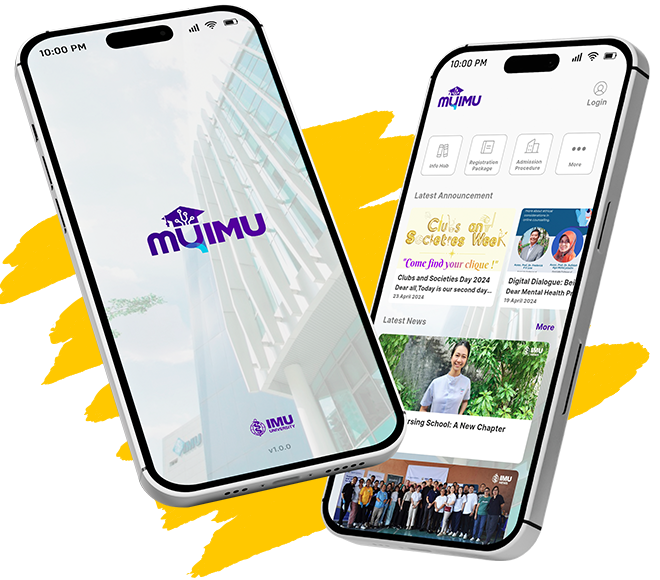
Accessible via MyIMU

  • Timetable & Attendance
  • Leave Application
  • Exam Result

null
Inquiries

  • Academic Calendar
  • Programme Handbook
  • University Handbook

null
Purchase & Loan
Purchase:

  • MDL Lab Coat
  • Yoyo Tag
  • Lanyard
  • ID Card Holder

Loan (with a fee):

  • Umbrella

null
Lost & Found
Surrender or Collect Items, only for One-Stop Centre at Technology Park Campus, LiT Block

Generally, students can raise any inquiries or requests through the One-Stop Centre (OSC), which will assist directly or channel the matter to the respective departments.

Contact One-Stop Centre

How to Reach OSC

Before raising an inquiry or support request, it is recommended to check the Student Portal, where important information has already been published.

For further assistance, students are encouraged to use the OSC Portal to increase efficiency. The portal provides a form for students to fill in with detailed information, making it easier for the OSC team to provide accurate assistance.

Through the portal, students can also track the status and progress of their own tickets without needing to contact OSC directly.

For guidance on accessing the OSC Portal, please refer to the Digital Services section below.

Physical and Walk-In Services

LocationIMU Bukit Jalil Main Campus, Level 2

Technology Park Campus, LiT Building, Level G

Operating HoursMonday to Friday: 7:30am-5pm

Saturday, Sunday & Public Holiday: Closed

Digital Services

  • null

    Click the OSC Portal to access

  • null

    Enter your IMU student email address.

  • null

    Log in via OTP and enter the OTP received in your IMU student inbox.

  • null

    Once logged in, the OSC Portal provides the following functions:

    • Home Section
        • Log a Request: Click “One-Stop Centre Request/Enquiry” to submit inquiries or support requests by filling in the required form.
        • Check for a Service: Redirects back to the Student Portal.
        • Ticket counters: Numbers represent requests raised, divided into four statuses/progress stages. Clicking a number shows the list of requests under that status.
    • Request Section
        • View all tickets on one page.
        • Customise the view using filtering options.

OSC Helpdesk

Ultimately, students can still reach the One-Stop Centre (OSC) via email and track the progress of inquiries or requests through the OSC portal.
Gain further access with IMU mobile app

Download MyIMU App